
Now you can have your lock screen updated from any photo stream on 500px automatically!
Go get it now! bit.ly/480px
Now you can have your lock screen updated from any photo stream on 500px automatically!
Go get it now! bit.ly/480px
480px is now a native Windows Phone 8 app and has been submitted to the Windows Phone Store. The major new feature is automatically updating your lock screen background from any image stream. Look for it soon in the store!
480px is currently available is built for Windows Phone 7 but runs just fine on Windows Phone 8. Several people have asked about a native version built for Windows Phone 8. Yes, it is coming and will support some of the new features in Windows Phone 8!
Keep your eye on this spot for announcements.
(oh and I’d love to get a Windows 8 app done as well but the phone app comes first)
v1.6 has been submitted to the marketplace.
1.6 adds browsing by category (of course you can also pin categories to the start screen), updates to the login so that facebook logins work again and marking photos as favorites
The newest version of the best app for exploring 500px.com on Windows Phone is now available.
Want to know what’s in it? Check out the submission announcement.
v1.5 has been submitted to the marketplace. If all goes well it should appear in the marketplace soon. This release has a lot of not so obvious changes but the two major features updated are the addition of search and integration of the Windows Phone sharing.
Search allows you to search 500px photos for keywords and returns an image collection that you can mark as a favorite or pin the search to your start screen just like any other image collection.
Sharing now supports whatever email or social networks are registered with your phone Facebook, Twitter, etc.
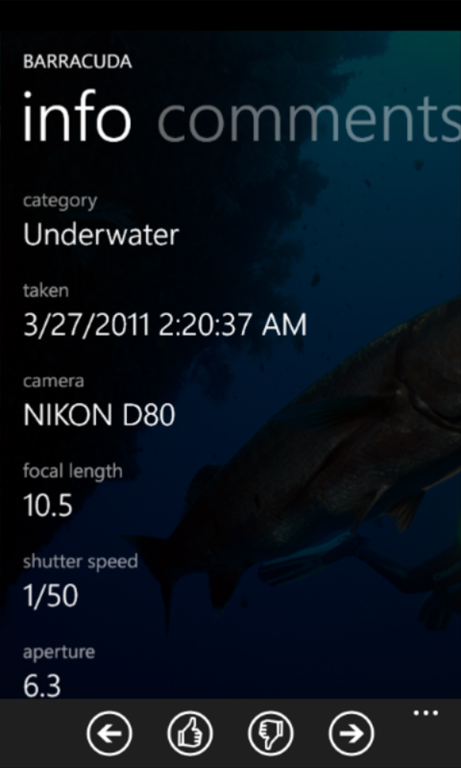
One minor change in the user experience category is that when viewing an image’s details, the image appears as the background.

Happy exploring!
If you are currently using Pintera to access Pinterest then make sure you do not log out. If you are already logged in, anything you do that requires a login will still work. Once logged out you cannot log back in right now.
Since this affects all the Pinterest apps the same, they are all getting poor reviews from new users (not unexpected when the app doesn’t do anything useful). Given that fact, I have decided to hide the application on the marketplace for now. It will still be available and will still function for you who already have it. It will just not show up in searches so that new users will not find it and get a bad first impression.
If you need to get to the marketplace page for it you can go directly to http://www.windowsphone.com/en-US/apps/e90ec640-dcff-4586-9d8f-2fc552b3f4d5. As soon as this gets resolved I will open it back up to the general public.
It seems that Pinterest has changed their authentication with the latest release of their iPhone app. This causes all apps to fail to log in (including the older iPhone apps). So if you run Pintera, you will see it load but no pins or categories will be displayed. Please keep an eye on this space for updates…
Something went wrong with the last update so it didn’t include the intended fixes. So they will be included in the next update to be released imminently. Plus it will include background tasks to update your live tiles to the current pins! This video shows 4 different tiles that have been pinned to the start screen: the Popular collection, a search for “tattoo”, a user’s board and the application tile. The application tile will show the “popular” collection on its back face.
You can choose in the application settings whether to show the 2 latest pins in the tile’s collection or to choose 2 randomly.
(please ignore the red toast notification in the video. that is only there during debugging sessions and so will not show up in the final version in the marketplace)
this update will also include fixes for bugs which cause crashes when repinning an item in a collection whose name contains an ampersand (“&”) and sometimes when resuming the application from task switching.
There has been a mini explosion of Pinterest apps in the Windows Phone marketplace lately. Over at WithWindows, Ricky Smith has a roundup of the first group, but it was in post yesterday that he put up a review entitled Pintera: Arguably the Best Pinterest Client for Windows Phone
That being said, the next version is already working its way through the marketplace certification process with some minor enhancements and bug fixes.
 Ben's Brain Dump